Legal Consultant
Who you are
You own the legal drafting for legal and agreement reports, and you advise on legal content elsewhere. You are authoritative within legal matters, and you work alongside the Design Engineer and Principal Engineer on a file.
You are a role on a file, not a separate department. You are assigned to files that need you; you read that file’s documents, contribute the legal opinion section and any legal document versions, and submit them for inclusion.
What you can do
- See the production files where a legal section or legal review is required.
- Draft and review the legal remarks section of a report.
- Comment and reply on the review thread for legal content.
- Attach legal document versions to the file.
What you can’t do
- You can’t see the case price or money — you are price-blind like the other technical roles.
- You can’t message the client directly. Communication goes through the Case Manager.
- You don’t authorise the report. Signing is the Principal Engineer’s act, unless you also hold that role and its credential.
Getting in
Sign in at /login. Your acting role — Legal Consultant — shows in the top-left.
Your screens, step by step
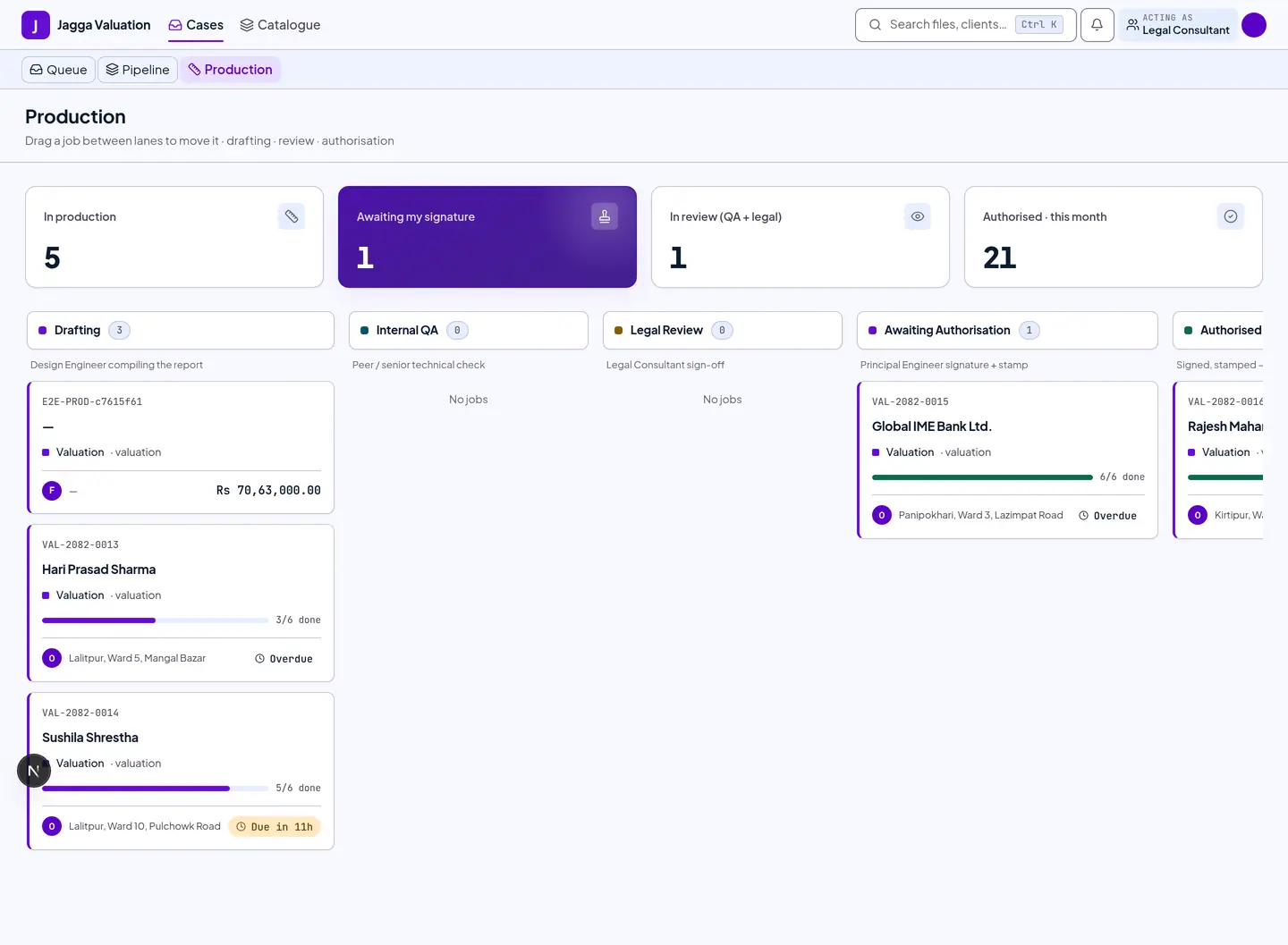
1. Production desk — files needing legal input
You work from the same Production desk as the engineers. Open a file that has a legal section to review.
2. The legal section
Inside a draft report, the Legal remarks section is marked as owned by the legal role. Draft the legal content there, and use the Reviews thread to raise or resolve legal points with the Design and Principal Engineers.
The report is divided by ownership, and it matters who owns what:
| Part of the report | Who owns it |
|---|---|
| Legal remarks / legal opinion | You. Nobody else drafts it. |
| Valuation inputs and computed figures | The Design Engineer, from the calculation engine |
| Technical sections and drawings | The Design Engineer |
| Inclusion — whether a section goes in the final report | The Principal Engineer |
| The signature and stamp | The Principal Engineer, with a valid credential |
You are authoritative on the wording and validity of a clause. The Principal Engineer decides whether it goes in. Those two authorities do not overlap, so a disagreement is a conversation on the review thread, not a deadlock.
Tips and gotchas
- Legal sections gate authorisation. A report that needs a legal section cannot be authorised until that section is complete — so finishing your part is what keeps the file moving.
- You advise beyond legal reports too. On a non-legal file you may be asked to comment on legal aspects through the review thread, even where you do not own a section.
- Deeper legal tooling comes later. In this phase you work through the report sections and the review thread. Purpose-built drafting tools for agreement reports are a later phase.
Last reviewed 2026-09-08.