Principal Engineer
Who you are
You lead each file as the decision-maker. You review the Design Engineer’s draft, finalise it, and authorise the report by applying your signature and stamp. You supervise your Design Engineers, and you handle reviews inside the post-delivery window.
What you can do
- See every case whose Design Engineers report to you, on the Production desk.
- Review a submitted draft: comment, raise flags against sections, and request changes.
- Authorise the report — signature and stamp — which moves the file to Report Ready.
- Maintain the depreciation table the valuation engine reads.
- Handle post-delivery edits within the review window.
What you can’t do
- You can’t see the case price or money. Like all technical roles, you are price-blind.
- You can’t message the client directly. That is the Case Manager.
You can only sign once your council registration — number, category and expiry — is recorded against your account and signing is switched on. An administrator records it, but no administrator can sign in your place. If you are unavailable, the only fallback is reassigning the file to another engineer who holds a valid credential. The signed report carries the name and registration number of whoever actually signed it.
Getting in
Sign in at /login. Your acting role — Principal Engineer — shows in the top-left.
Your screens, step by step
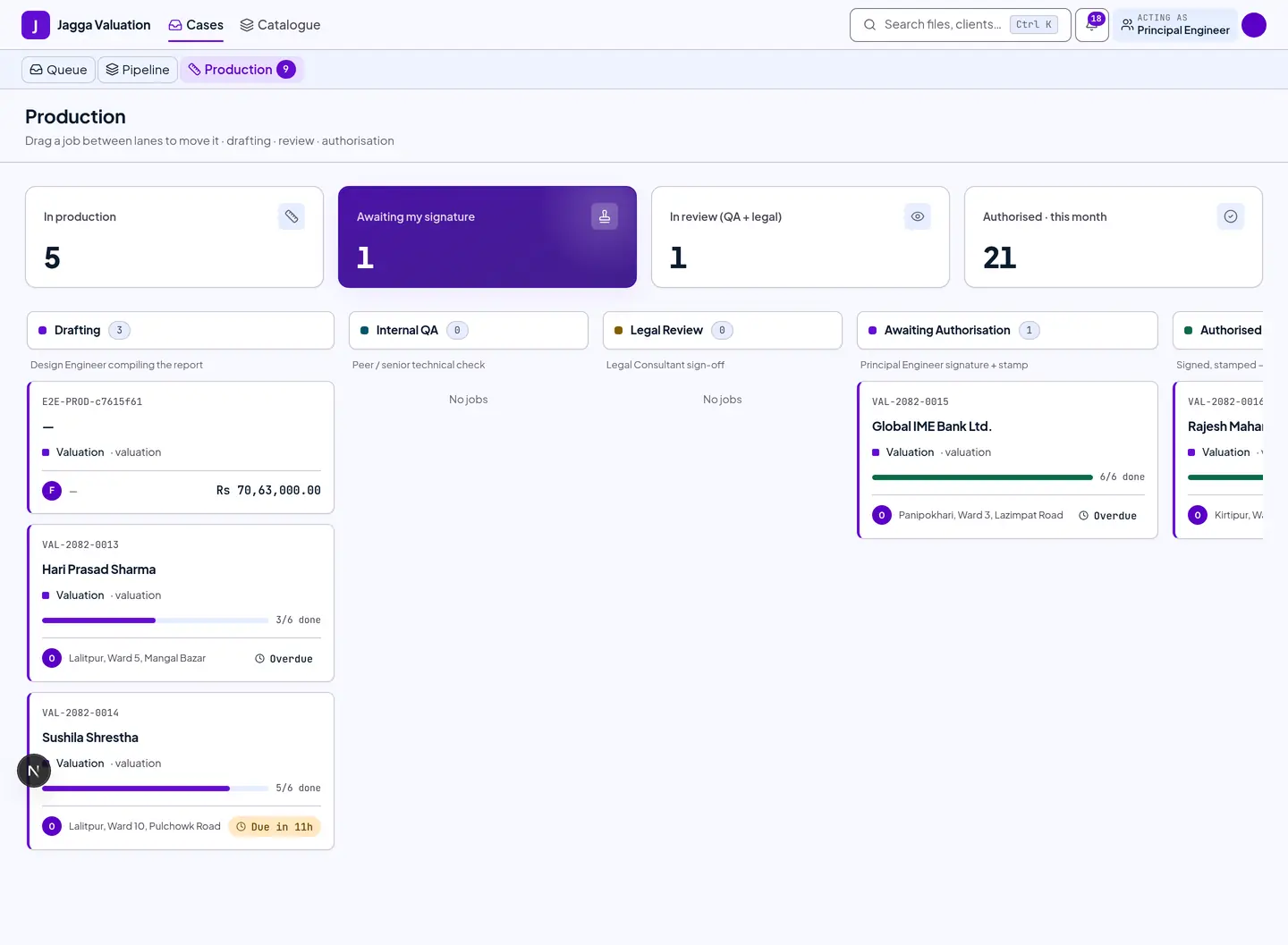
1. Production desk — files awaiting you
Files in Awaiting Authorisation are the ones waiting for your signature. Each card shows how many report sections are done.
2. Authorise — sign and stamp
Open a file that is ready and go to the Authorise screen. This is the sign-off gate.
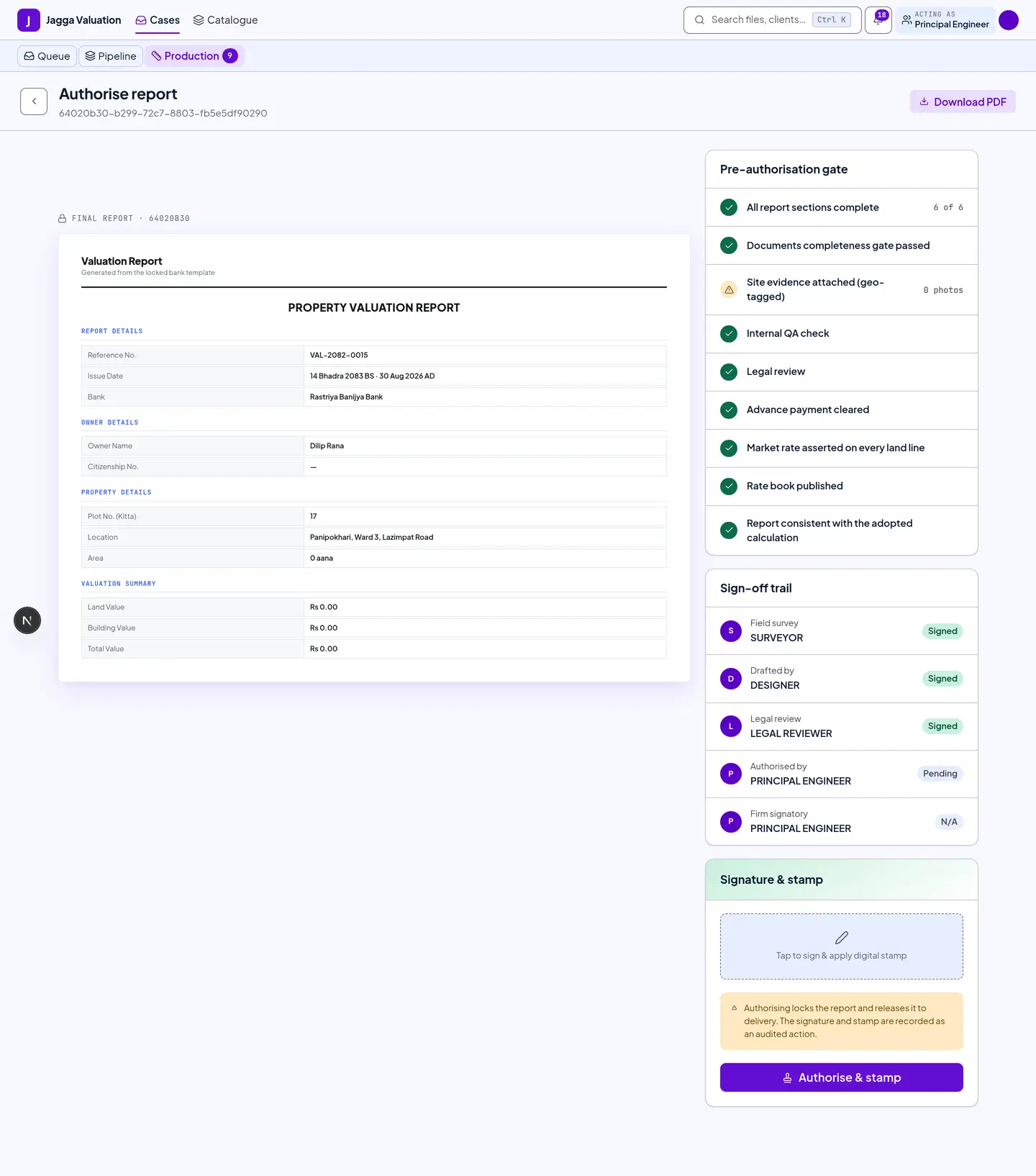
- Work down the pre-authorisation checklist. Every item must be satisfied before you can sign.
- Apply your signature and the digital stamp.
- Confirm. The file moves to Report Ready, and the act is written to the audit log.
What will refuse to let you sign
Each refusal names itself rather than greying out a button:
- Your signing credential is missing or expired.
- A section’s underlying data changed after it was written, so the section is stale.
- A market rate is still sitting on the government fallback and has not been asserted.
- The land rate book the file depends on has not been published yet.
3. The depreciation table
This is the firm-wide table the valuation engine reads to work out how much a building has depreciated. You share it with your Tenant Admin — it is one table, seen from two roles.
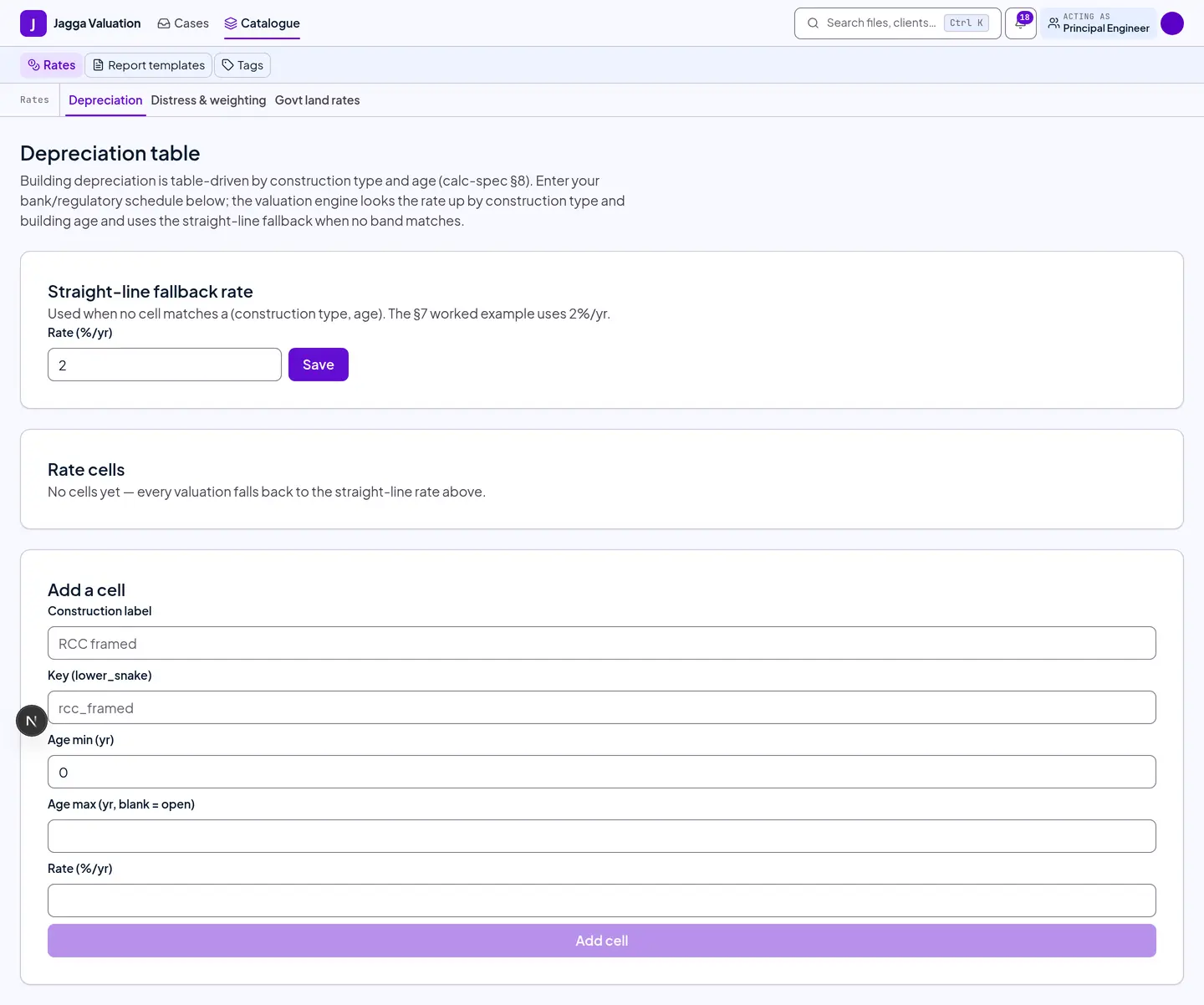
- Each row is a construction type; each column an age band.
- A cell is either a rate per year, which is applied smoothly so a building does not jump in value the day it crosses a band, or a total percentage, which is the stepped schedule some banks require.
- A minimum residual floor stops depreciation eating a building entirely. The default leaves 10% standing.
- A building’s age is worked out in Nepal time, so a late-evening authorisation can count as the next Nepali day.
Tips and gotchas
- Authorising is safe to retry. If the screen hiccups, retrying never double-stamps a report.
- Some formats need a second signature. Where a bank’s format has two signature blocks, the file parks after yours and waits for the firm’s signatory. The client still sees “Under Authorization” throughout, and delivery stays blocked.
- Review before you sign. Use flags to send specific sections back to the Design Engineer, rather than rejecting the whole report.
- Post-delivery fixes go through the review window, not by editing a delivered report. The issued report is a permanent record.
Last reviewed 2026-09-08.